

- Select Billing. The Bill management page opens.
- Select Bill history:

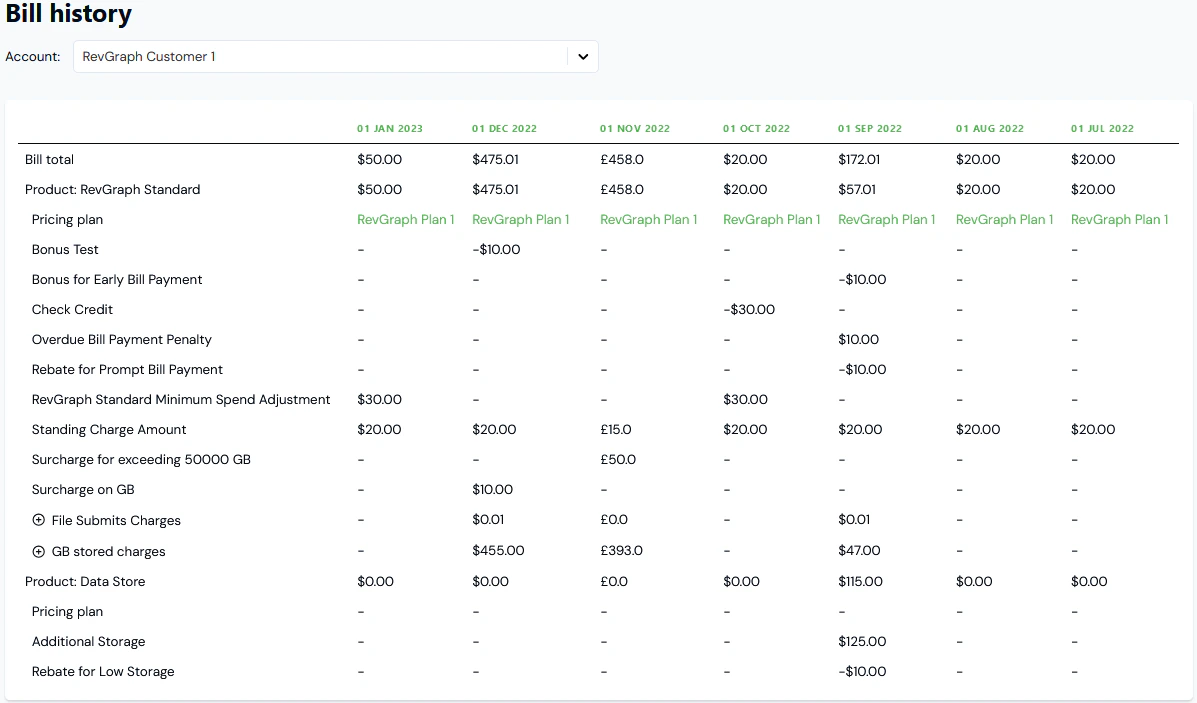
- Use the drop-down to select the Account for which you want to view Bill history. The Bills generated for the Account are listed with the most recent shown first:
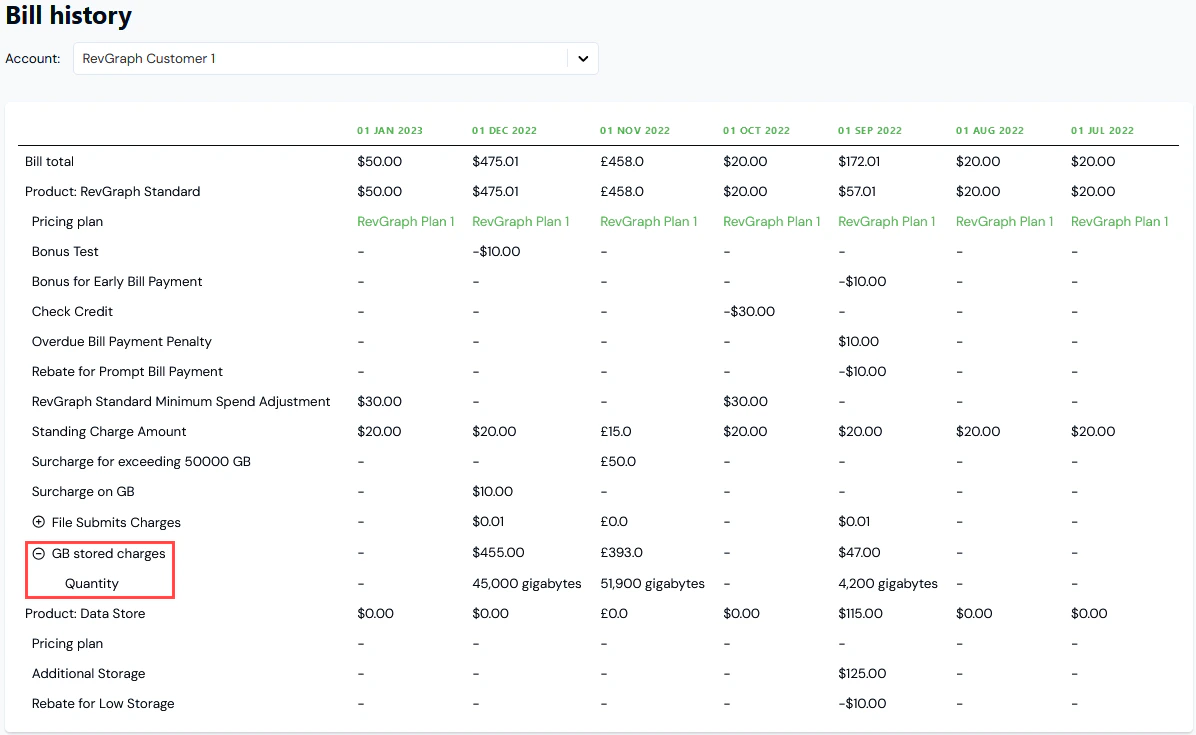
- If you want to review the usage quantity under a listed charge, select to expand the charge and reveal the Quantity:
- If you want to review a Pricing plan used for a Bill, select the name text of the Plan. You are taken to the Plan details page, where you can review any Pricing configured for the Plan.