

- Select Integrations:
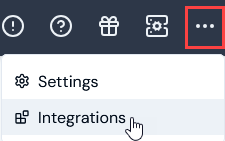
- Select Salesforce. The Salesforce Integrations page opens.
- On the Credentials panel, select Configure new credentials:
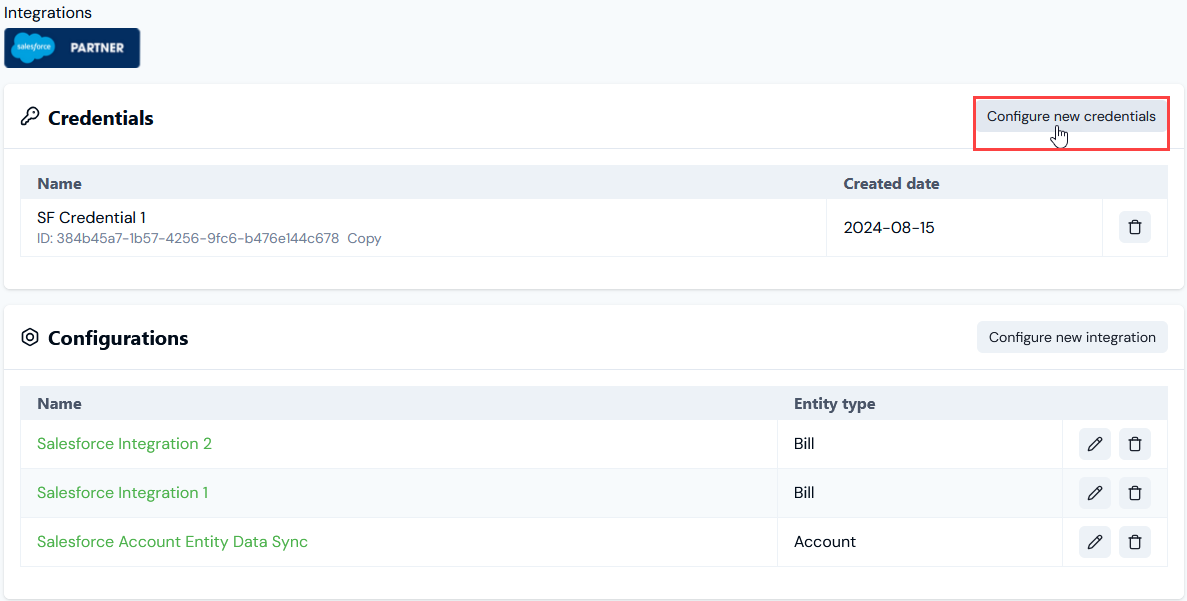
- Under Credential details enter:
- Name. Descriptive name for the Credential.
- Destination. This will be pre-selected for Salesforce.
- Subdomain. The subdomain of your Salesforce Org. For example, if you access Salesforce using MyDomainName.my.salesforce.com, then your subdomain would be MyDomainName.
- Consumer key. The consumer key obtained from the External Client App configured in Salesforce.
- Consumer secret. The consumer secret obtained from the External Client App configured in Salesforce.
- Select Create credential. You are returned to the Salesforce Integrations page where the new Credential is listed on the Credentials panel:
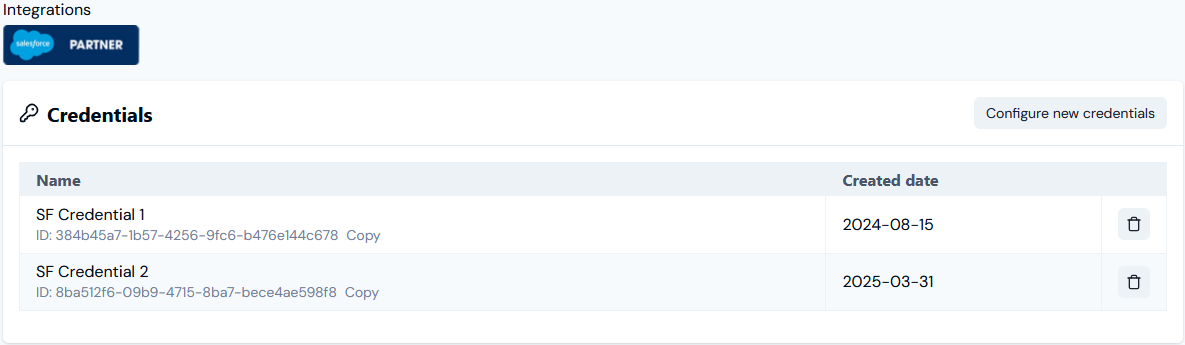
- The Credential is now available for connecting your Integrations with Salesforce. See Configuring Salesforce Entity Data Sync Integrations>Setting Up Authentication for the Integration.